Thursday, September 22, 2016
Nokia Asha 311 WiFi Not working Problem Solution Ways
Nokia Asha 311 WiFi Not working Problem Solution Ways
 WiFi is used for networking a Smartphone with some other networking devices and it works for VPN (Virtual Private Network ) to gain a high speed broadband speed at you smart phone Nokia 2320 Classic Hang problem solutionsee all cellular mobile repairing solution
in above diagram you can see a red line that identify parts used in wifi function in Nokia Asha 311.So after disassemble of mobile phone look all these parts very carefully and if there is some rust or water damages clean them with electronics cleaner and apply smoth heat with hot air. do not apply to much air because it can harm your skin and also can damage the mother board.
So re flow resold these parts and if it can not solve problem replace these parts that are given in above diagram.
for more detail and new tips and tricks about cellphone service problem keep visiting this page we will update cellphone service diagrams timely with new cellphone diagrams.some related post are also given bellow you can read them also for more information about cellphone.
Available link for download

Saturday, September 3, 2016
Top 6 Best Wifi File Transfer Apps For Android Device
Top 6 Best Wifi File Transfer Apps For Android Device
Best Wifi File Transfer Android Apps.
1. Xender
 Xender is one of the best file transfer app which is available on Google play store for free. Xender uses the direct WiFi feature of android device and support 4 to 6 MB per second speed. You just need to launch app in both devices and one device have to create and other need to join the group. It also sort the files in different categories like images, audio, video, apps, big files etc. Approximately 20million to 50 million user install this App.

2. Shareit
 Shareit is another popular android app for transferring files wirelessly. It is also available on Google play store for free. It also uses WiFi direct feature to transfer file from one device to another device. After connecting devices receiver can view all files in sender device and can select and send files in their own device without any sender interfere. Approximately 30 million to 50 million user install this App.
3. Superbeam
 Superbeam is another powerful android app which is used for fast file sharing with the help of WiFi direct. It is available on Google Play store for free. It can pair devices with the help of QR code, NFC and manual codes. We can also apply various background theme to it. Approximately 10 million to 50 million user install this App. We can share all types of file including Audio, Video, apk, text, images etc.
4. HitcherNet

5. Wifi Shoot

6. Wifi Share

Available link for download
Tuesday, August 30, 2016
What to do if iPhone WiFi is greyed out
What to do if iPhone WiFi is greyed out
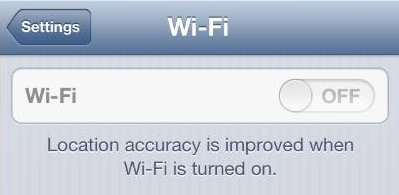
If you are using iPhone 4S or iPhone 5 and have recently upgraded iOS, you might have ended up with your iPhone WiFi switch being greyed out. Read the article below to find out what causes this problem and ways it can be resolved.
The Apple Support Communities have seen a surge in problems related to iPhone users? WiFi being defunct. In many cases, the issue is related to iPhone 4S recently updted from iOS 5 to iOS 6 but also occurs in iPhone 5.
UPDATE: I found a useful post which summarizes iPhone WiFi connectivity issues in general. It might be useful for you.
Check out this tumblr post for an exotic way to fix iPhone WiFi:
http://bit.ly/17vldCD
What causes iPhone WiFi greyed out?
iPhone Wifi being greyed out means that there is a hardware-related issue ? i.e. the iPhone WiFi chip does not function.
With the release of iOS 6 back in September last year, Apple improved power management for better iPhone performance over iOS 5. As a result of inadequate testing, however, it happens that some WiFi chips in both iPhone 4S and iPhone 5 overheat under iOS 6.

Fortunately, the iPhone is a piece of advanced technology which automatically prevents damage when the WiFi chip becomes too hot by powering the chip off. This causes your iPhone WiFi to be greyed out and ultimately, you cannot connect iPhone to the Internet via WiFi.
How to solve issue with iPhone WiFi not functioning?
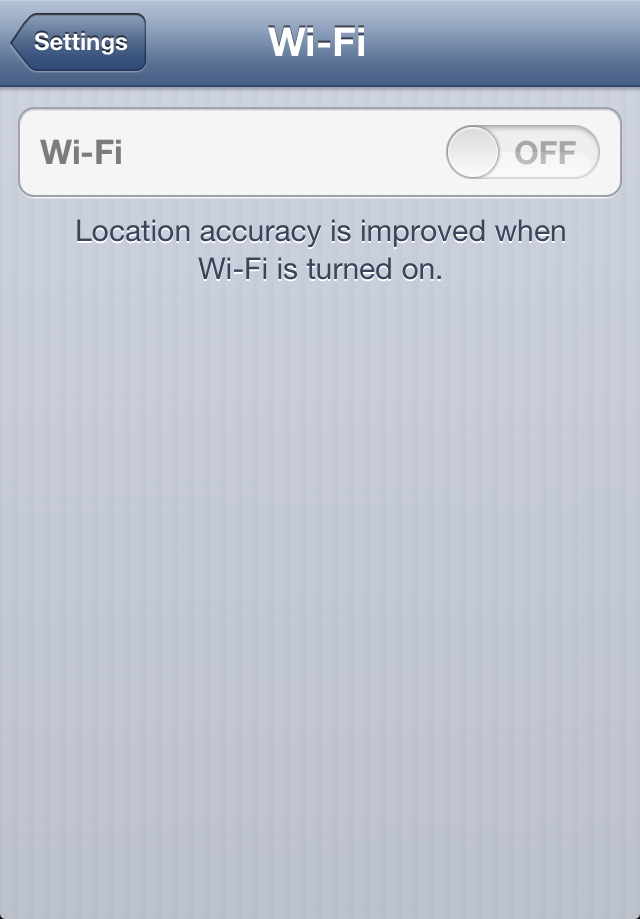
You can verify whether your iPhone WiFi setting is greyed out or dimmed by navigating to Settings > WiFi.
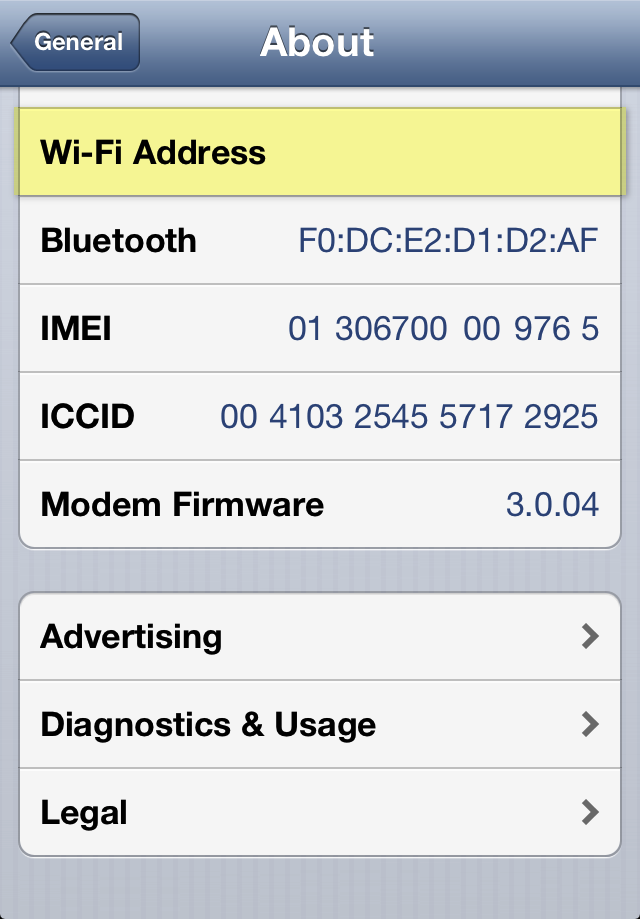
Also, go to Settings > General > About and you will see your Wi-Fi Address empty.
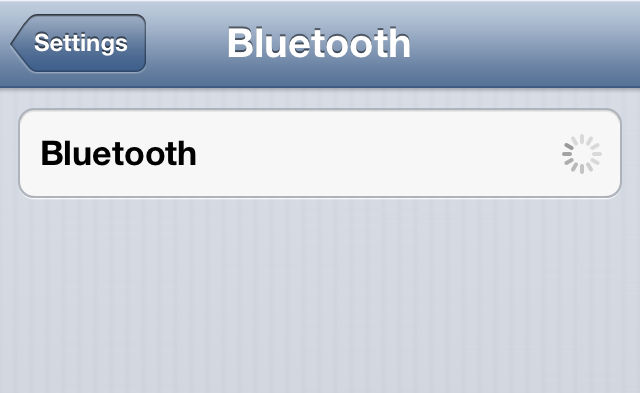
Since WiFi and Bluetooth use the same radio chip, it is very probable the iPhone Bluetooth feature under Settings > Bluetooth is disabled, disconnected, or inaccessible.
To resolve the issue:
1. Navigate to Settings and make sure that Airplane Mode is switched off
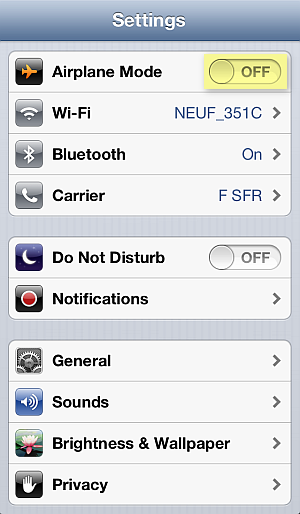
2. In the iPhone Settings, go to General > Reset > Rest Network Settings

3. Cold-restart the iPhone by pressing and holding the Sleep/Wake and Home buttons simultaneously for 10 seconds until you see the iPhone screen go blank
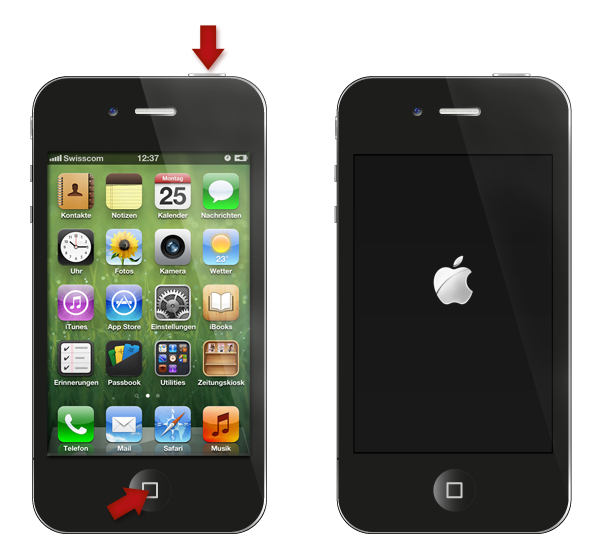
4. If this does not sort out the issue, update the iPhone?s iOS to the latest version by connecting the device to iTunes on your PC
Alternative method known to have worked in case of iPhone WiFi setting dimmed using freezer
1. Tap Settings >General> Cellular > Cellular Data > OFF
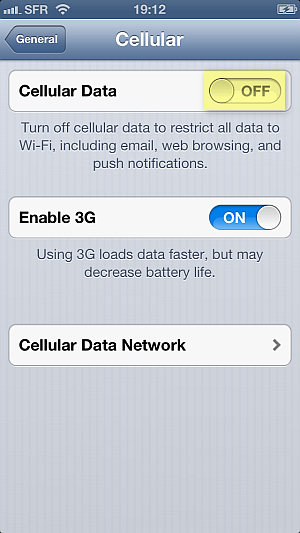
2. Place the iPhone in a ziplock bag and make sure to squeeze the air out of the bag
3. Put the bag in a freezer for 15 minutes
Why place the iPhone in a freezer? As the iPhone would automatically turn off the WiFi chip due to overheating, when you cool down the chip sufficiently, the iPhone automatic protection is disabled. However, this is a temporary fix, until the next time the iPhone WiFi chip overheats and greys out.
If all fails or you wish to have a permanent solution for your iPhone WiFi greyed out, you must contact Apple directly. If your iPhone is in warranty, you are eligible for free-of-charge iPhone replacement by sending the device to the nearest Apple Store.
Still need help?
Post your question directly on my Facebook wall, Ill answer the same day with as many detailed instructions as possible.
To visit my helpful Facebook page click on the link below or scan the QR code to create your ticket:
- http://www.facebook.com/iPhone.Contacts

Available link for download