Wednesday, October 26, 2016
PC Transfer iPhone notes
PC Transfer iPhone notes
Have you ever needed to transfer your iPhone notes to your computer? Here?s a quick guide about how to transfer iPhone notes to your PC.
There aren?t too many ways in which you can copy notes from your iPhone using what?s already on your device.
iPhone notes transfer directly to computer
You can export your iPhone notes via using a third-party tool such as the one below:
- http://www.copytrans.net/copytranscontacts.php
To do so, simply download and run the above program on your Windows PC and connect your iPhone to your computer. You can follow the directions from the YouTube video below or continue reading on for the detailed steps
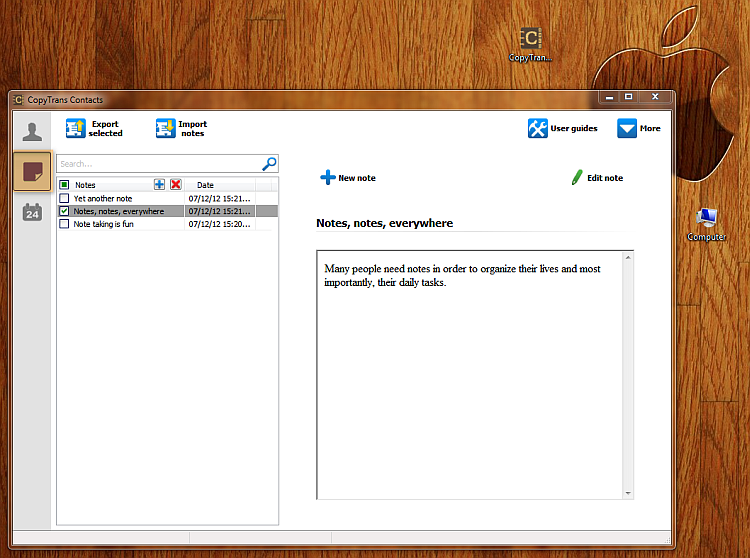
Your iPhone notes will appear in the main program window as shown.
 a
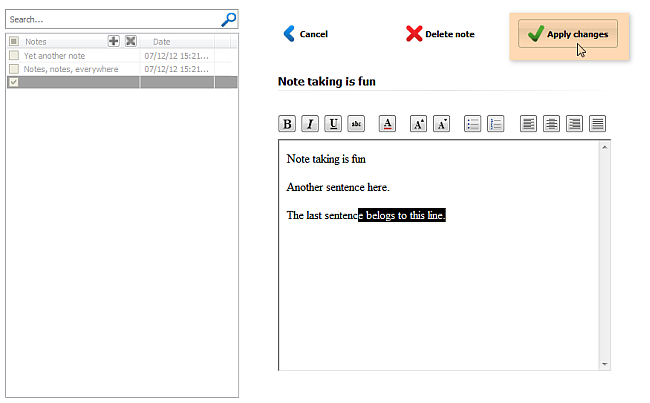
a Before you transfer your notes from your iPhone to your PC, you can view and edit them directly on from the program window.
Now, transfer your iPhone notes to your computer, simply by selecting all notes and clicking on the ?Export selected? button. Then navigate to the location on your PC where you want the iPhone notes transferred to.
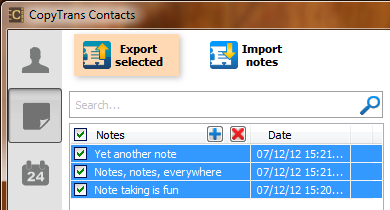
Your iPhone notes will now be copied directly to your PC. You can now open your iPhone notes on your computer and read, edit or print at your convenience.
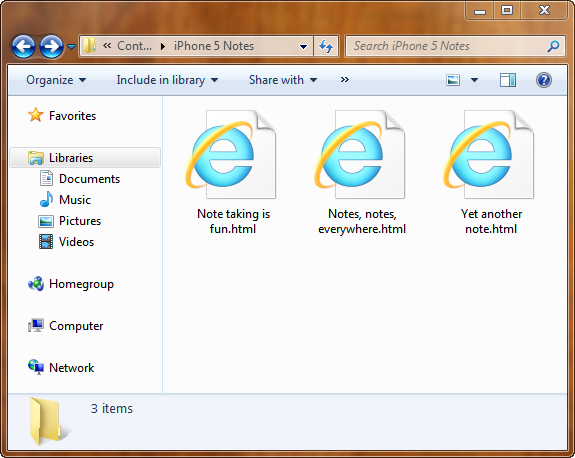
You will also be able to import any TXT or HTML file from your PC to your iPhone using the method above.
This is how you export iPhone notes directly your computer.
Transferring iPhone notes via iCloud
Note: This method requires iOS 5 + and an @me.com email account
Since not too long ago, iCloud has made Apple users happy by allowing them to sync and transfer much of their iPhone data such as contacts, reminders, and bookmarks. iCloud also features iPhone notes transfer and sync.
You can easily transfer your iPhone notes to your computer using iCloud. To do so:
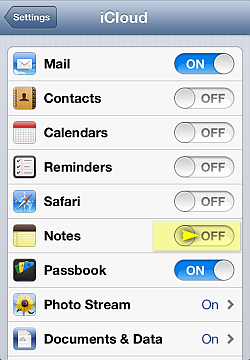
1. Enable iCloud Notes sync on your iPhone by going to Settings > iCloud and then moving the ?Notes? from to ON
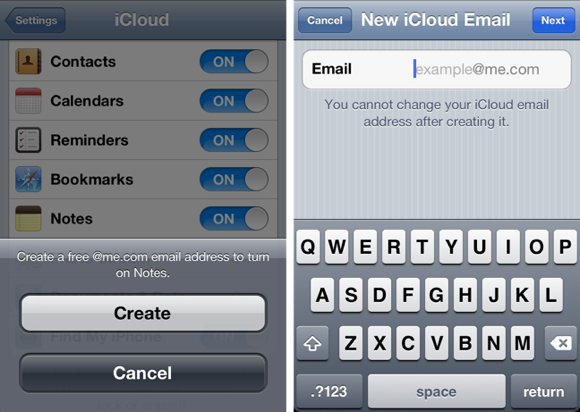
2. In order to enable iPhone notes sync with your iCloud account, you need an @me.com email account. If you haven?t set up an @me.com email address yet, your iPhone will guide you through the steps of creating one
3. All notes on your iPhone you create from the moment you enabled Notes sync will now transfer to your iCloud account. Note that notes created on your iPhone before you enabled iPhone Notes sync with iCloud will not be transferred
4. On you computer, log in to your iCloud account via a regular web browser by navigating to:
- https://www.icloud.com/
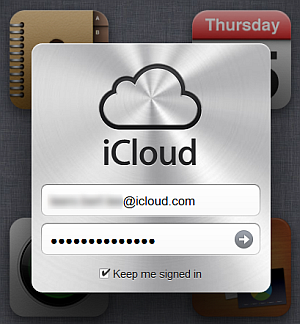
5. Click on the ?Notes? icon. You will now see your new iPhone notes transferred to your iCloud account
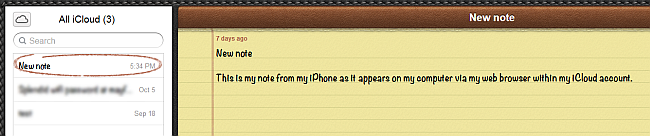
6. You can also send your iPhone note as an email by clicking on the envelope icon at the bottom of the note

This is a simple way to transfer iPhone notes and display them on your computer. If you would like to save your iPhone notes offline directly to your PC use the first method above using the transfer iPhone notes tool.
Available link for download

Thursday, October 13, 2016
Top 6 Best Android Bluetooth File Transfer Apps
Top 6 Best Android Bluetooth File Transfer Apps
Best Bluetooth File Transfer Apps For Android.
1. Bluetooth File Transfer
 Bluetooth file transfer is one of the popular Android Bluetooth file transfer App which is available on Google play store for free. We can manage our phone files using its files manager. Using this App we can select multiple files to send. It uses the FTP protocol to transfer the files. It is compatible with all the Android versions. You can also view the received file using this App. Approximately 10 million people install this App.
2. Bluetooth File Share
 Bluetooth file share is another popular Android Bluetooth file sharing App. It is also available on Google play store for free. It can be used to share Audio, video, photos, apps etc. This app also arrange all the files category wise. We can also share Application via social media like Gmail, FB etc. It can also backup the application installed on our phone. It can also share contacts and provide support for dropbox. Approximately 500k people install this App.
3. Astro Bluetooth Module
 Astro Bluetooth module is another file transfer App using Bluetooth which is available on Google Play store for free. It provide simple and easy to use interface. We can backup our installed App using its backup feature. It uses the FTP protocol to transfer files. It also provide its inbuilt file manager to manage our device files and folder. It also provide a task killer to mange various tasks. Approximately 5 million people install this App.
4. Bluetooth App Sender
 Bluetooth App sender is specially designed to send our installed App and apk files with the help of Bluetooth. It is available on Google Playstore for free. It also allow you to Backup your Apps. It also allow you to share your apps to social networking sites like G-mail and Facebook. It is a light weight App which provide easy to use interface. Approximately 1 million user install this App.
5. Shake File Transfer
 Shake File Transfer is most popular Android App which is available on Google Play store for free. This app arrange all the files in category wise. We do not need to manually enable the Bluetooth this App take control over Bluetooth and we can enable or disable Bluetooth through this app. We can launch the App by shaking our phone and simply touch the icon. This app can increase the speed of transfer two times than normal speed. Approximately 10 thousand user install this App.
6. Best Bluetooth File Transfer
 It is another android Bluetooth file transfer App which is also available for free on Google Play store. This app is simple to use and provide attractive user interface. It is compatible with all Android devices. With the help of this App you can send multiple files to the selected users and also create a backup of installed app to send it to other user or install it later to escape from re download it. Approximately 10 thousand user install this App.
Available link for download
Saturday, September 3, 2016
Top 6 Best Wifi File Transfer Apps For Android Device
Top 6 Best Wifi File Transfer Apps For Android Device
Best Wifi File Transfer Android Apps.
1. Xender
 Xender is one of the best file transfer app which is available on Google play store for free. Xender uses the direct WiFi feature of android device and support 4 to 6 MB per second speed. You just need to launch app in both devices and one device have to create and other need to join the group. It also sort the files in different categories like images, audio, video, apps, big files etc. Approximately 20million to 50 million user install this App.
 2. Shareit
 Shareit is another popular android app for transferring files wirelessly. It is also available on Google play store for free. It also uses WiFi direct feature to transfer file from one device to another device. After connecting devices receiver can view all files in sender device and can select and send files in their own device without any sender interfere. Approximately 30 million to 50 million user install this App.
 3. Superbeam
 Superbeam is another powerful android app which is used for fast file sharing with the help of WiFi direct. It is available on Google Play store for free. It can pair devices with the help of QR code, NFC and manual codes. We can also apply various background theme to it. Approximately 10 million to 50 million user install this App. We can share all types of file including Audio, Video, apk, text, images etc.
 4. HitcherNet

5. Wifi Shoot

6. Wifi Share

Available link for download