Showing posts with label volcanobox. Show all posts
Showing posts with label volcanobox. Show all posts
Friday, October 14, 2016
VolcanoBox 2 4 7
VolcanoBox 2 4 7

VolcanoBox 2.4.7 MTK6572 eMMC FULL Read & FULL Write - HAPPY Eid Milad-un-Nabi
VolcanoBox 2.4.7
Whats new ?
Added MTK6572 Write EMMC flash
Added MTK6572 Read EMMC Flash
Added Android MTK6272 FULL FLASH
Added Android MTK6572 EMMC Write FULL Flash
Improved MTK Android Format
Many Unsupported MTK6572 eMMC is Supported now
MTK6572 NAND & eMMC Both is supported now
in this update many more Unsupported phones will be Supported now. but Still there can be some Unsupported phones and which we are working on it.
Download Link
Br
Faisal_Computer
-
Available link for download

Thursday, October 6, 2016
VolcanoBox v2 7 4 Latest Setup Download
VolcanoBox v2 7 4 Latest Setup Download

Volcano Boxs features:
MTK, SPD, MSTAR, Infineon, Philips, ADI, Anyka, SKY, SI, TI CPU Support
Digital resistance
Complete GND and VCC control functions
Set pull up/down to any pinout
Volcano box selects resistor value from 390 ohm - 800K
Eagle Eye function
Internal powerful CPLD
Better software and hardware protected design
More reasonable USB pathway design
Test battery
Volcano is a very unique & powerfull box which is designed
specially for chinese mobiles
Many features are EXCLUSIVELY ON VOLCANO
is only available on volcano box, its unique and
worlds 1st no other box have it.
MTK, SPD, MSTAR, Infineon, Philips, ADI, Anyka, SKY, SI, TI CPU Support
Digital resistance
Complete GND and VCC control functions
Set pull up/down to any pinout
Volcano box selects resistor value from 390 ohm - 800K
Eagle Eye function
Internal powerful CPLD
Better software and hardware protected design
More reasonable USB pathway design
Test battery
Volcano is a very unique & powerfull box which is designed
specially for chinese mobiles
Many features are EXCLUSIVELY ON VOLCANO
is only available on volcano box, its unique and
worlds 1st no other box have it.
Download
Available link for download
Tuesday, October 4, 2016
VolcanoBox 2 4 5
VolcanoBox 2 4 5
VolcanoBox 2.4.5 MTK Android 6572 Scatter file & much more.. Happy New Year !!!
whats new ?
MTK6572 Android add ADB backup factory file
MTK6572 Android backup factory file generate SCATTER file (support NAND+EMMC) ( Hot Solution )
Adjust MTK Android Imei Repair (new method)
Android tool update
Android tool Manual
Click here to Download
-
Available link for download
Monday, October 3, 2016
VolcanoBox 2 4 8
VolcanoBox 2 4 8
VolcanoBox 2.4.8 MTK Android EMMC & NAND, Download Area, Huawei, Vodafone & Much HOT
!!! Feel The HEAT in Winter of VOLCANO !!!
Some Chinese Boxes are Giving FAKE Updates BUT Only Volcano Giving REAL & Hot & Exclusive Updates
Whats new in VolcanoBox 2.4.8 ??
- Presenting Downloading Support Area
- Added/Improved MTK6589 Read Flash in Bin Format
- Added/Improved MTK6575 Read Flash in Bin Format
- Added/Improved MTK6577 Read Flash in Bin Format
- Added/Improved MTK6589 Write Flash in Bin Format
- Added/Improved MTK6575 Write Flash in Bin Format
- Added/Improved MTK6577 Write Flash in Bin Format
- Added/Improved MTK EMMC Default Write FULL Flash
- Added/Improved MTK NAND Default Write FULL Flash
- Added/Improved MTK NAND Write Flash
- Added/Improved MTK NAND Read Flash
- Added/Improved MTK EMMC Read Flash
- Added/Improved MTK EMMC Write Flash
- Added/Improved MTK EMMC New ALGO
- Added/Improved MTK NAND New ALGO
- Added/Improved Vodafone 858 No service Solved
- Added/Improved Huawei Y320 Unlock
From now All files will be available on here
Index of ./VolcanoBox/
Updates, Full installer & Flash files. Flash files will be uploaded very soon.
for MTK Android Read & Write Flash, IF Writing Gave you any kind of error then use 460800 Speed and it will write and make your phone alive !!!
Click here to DOWNLOAD
-
Available link for download
Friday, September 30, 2016
VolcanoBox MerapiTool Latest Update V1 3 6 Free Download
VolcanoBox MerapiTool Latest Update V1 3 6 Free Download
VolcanoBox MerapiTool Latest Update V1.3.6
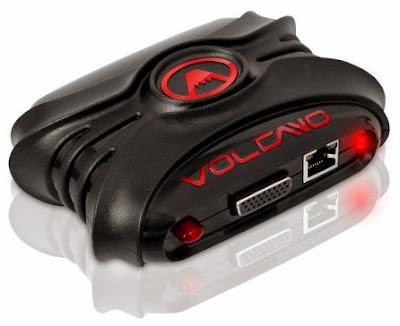
Volcano Box
VolcanoBox 2.3.4 Whats hot ?
ADDED FASTBOOT Mode Flashing
ADDED FASTBOOT Mode Cache Flashing
ADDED FASTBOOT Mode Data Flashing
ADDED FASTBOOT Mode Boot Flashing
ADDED FASTBOOT Mode Recovery Flashing
ADDED FASTBOOT Mode System Flashing
ADDED FASTBOOT Mode Update.zip Updating
ADDED FASTBOOT Mode HTC GET MID
ADDED FASTBOOT Mode HTC GET CID
ADDED FASTBOOT Mode HTC OEM CID
ADDED FASTBOOT Mode HTC Write Super CID
ADDED FASTBOOT Mode HTC Get Identity
ADDED FASTBOOT Mode Coming Soon
Mediafire Download
Available link for download
Friday, September 23, 2016
VolcanoBox 2 3 2 Added Support For FastBoot Supported Android phones !!
VolcanoBox 2 3 2 Added Support For FastBoot Supported Android phones !!

!! What if you dont have competition !!
Whats new ?
SPD Andriod added new flash ic support
Solve 6250 Write BUG
Adjust MTK6268 Read/Write
Adjust MTK Andriod Write
MTK added fastboot ( Supported All Android Devices which Support FASTBOOT )
fastboot added ADB/fastboot switch mode
fastboot added ADB/recovery switch mode
fastboot added WIPE
fastboot added clear data
fastboot added clear cache
fastboot added check phone connect state
fastboot added exist
What is Fastboot Function ?
Fastboot is use for many function, We are giving you now Reset user data, Wipe, Clear Cache etc from fastboot supported android devices.
what its means MTK added fastboot ( Supported All Android Devices which Support FASTBOOT )?
its means VolcanoBox supported All android devices which have fastboot. Fast boot options is in MTK Tab !!
How to put Device in Fastboot ?
This is Same method as we put mobile into Recovery Mode or Download Mode. You have to try different scenarios like
take out battery
wait 5 sec
insert battery back
press and hold volume Up
press and hold Power key
wait mobile Hang on logo Or wait till you see on mobile sceen FTM or Fastboot mode
if you dont get fastboot in one say then another way like
take out battery
wait 5 sec
insert battery back
press and hold volume Down
press and hold Power key
wait mobile Hang on logo Or wait till you see on mobile sceen FTM or Fastboot mode
if you dont get fastboot in one say then another way like
take out battery
wait 5 sec
insert battery back
press and hold volume Up + Down
press and hold Power key
wait mobile Hang on logo Or wait till you see on mobile sceen FTM or Fastboot mode
like this you have to try different scenarios.
What is fastboot added ADB/fastboot switch mode ?
if your phone have Usb Debug mode On then insert usb cable in powered on condition. now you can Switch your Android phone into Fastboot. If after this your phone not become into fastboot mode this means your phone not have fastboot. This is option is very useful when your Volume key is damaged.
what is fastboot added ADB/recovery switch mode ?
if your phone have Usb Debug mode On then insert usb cable in powered on condition. now you can Switch your Android phone into Recovery Mode. This is option is very useful when your Volume key is damaged. after your phone in recovery mode now you can reset your phones data.
What is fastboot added WIPE ?
This mean just put your phone into FastBoot Mode and you can Complete Wipe your phone with simple one Click !!
what is fastboot added clear data ?
This mean just put your phone into FastBoot Mode and you can Clear your phones Data with simply one Click !!
what is fastboot added clear cache ?
This mean just put your phone into FastBoot Mode and you can Clear your phones Cache with simply one Click !!
what is fastboot added check phone connect state ?
To check whatever phone is it Fastboot or not
what is fastboot added exist ?
To Exit from FastBoot mode
Download From MediaFire
Download From Hotfile
VolcanoTEAM Presents !!
GPGEMMC

GPGEMMC is simply a bundle of all the best feature of all the best box of the market. We have taken each step of the development of our tool and compare to existing products of the market. Our Goal is simply become the number one as we did it with Volcano. JTAG, JTAG PINFINDER, ISP, our tool is a real programer that can write boot partitions. We can also repair baseband and imei without dissembling the phone
We are now working on full support of :
i9300C?i9303T?i9305?i9308?i939?i939D?M440?E210K?N7 100?N7100C?N7100H?N7102?N7102I? N7105?N7108?N719?N8000?N8010?N8013?W2013?i9500?i9 5 00C?i9502?i9505?i9505G?i9508?GALAXY Note 3 N9000
Internal programmer function:
What is Internal Programmer ?
Internal Programmer is 100% same as some of you guys use External Flasher. Internal Flasher is use for Read & Write Data Directly from IC. *It also can Read & Write Iphones Baseband as same as you Read & Write from External Flasher !!
Samsung disassemble-Free Repairing
What is Samsung Disassemble-Free Repairs ?
Samsung Disassemble-Free Repairing means you dont need to open/Disassemble Different phones. GPGEmmc_Box can repair your Phones base band and imei without opening/Disassemble Phone.
High Speed JTAG
GPGEMMC_Box is really Turbo Fast in Speed for Read & Write Full Flash, Boot repair etc. GPGEMMC_Box is Fastest Box in the History of Gsm History. Its is more Faster than any other box Presents at the Moment.
FACTS : We have worked a lot on the speed of our device. We are now 15% faster than the fastest tool of the market. ( Soon beta testers will post videos to prove our words )
JTAG detection
GPGEMMC_Box have Built-in Jtag Detection. Its means GPGEMMC_Box can Detect your phones Jtag pinouts within No time !! You dont have to worry about Jtag Pinouts etc. you never have to worry if there is no JTAG pinouts definition Available You just Sold Wires and Start Detection GPGEMMC_Box will detect for you. The actual test of Huawei C8812 definition only needs 0.64 seconds.
ISP function (In-System Programming)
GPGEMMC_Box Support ISP Flashing. Its means you dont have to Dis-Sold Ic and Sold on Small PCB & Write files then again Dis-Sold from Small PCB & Sold on Phone again. GPGEMMC_Box Supports just Sold Wires on mobiles PCB and Directly Write & Read.
FACTS :We are 10 time faster than the competition, we can write at 2M/s while other can barely reach 250K/s.
Boot Repairs
GPGEMMC_Box Supports Boot Repairing. Its Support Both Type Boot Repairs. Boot 1 & Boot 2. If somehow after boot repair your phone not powered on correctly Or still dead you can Repair BOOT 2 so we just Ensure that you will not have any problem in Repairing Boot.
User Area Repairs
GPGEMMC_Box Supports User Area Repairing. Its means you can solve lot of User Area Problems, Format User area and lot of other things you can repair
CSD Area Repairs
GPGEMMC_Box Supports CSD Area Repairing. its means you can solve lot of communications problems suchs as communications of GSM , Wifi , Bluetooth etc. Its also repair your Data Transfer rate like some phone have problem that they are very slow in operation even after write full flash etc so you can repair that problems too.
GPP1, GPP2, GPP3 & GPP4 Area Repairing
GPGEMMC_Box Supports Repairing of GPP1, GPP2, GPP3 and GPP4 area. GPGEMMC_Box can Develop NEW GPP1, GPP2, GPP3 and GPP4 areas. Also Recreation of GPP1, GPP2, GPP3 and GPP4 areas. You can solve lot of problems with it.
Internal CPU controls
GPGEMMC_Box supports real ISP programming. ISP still can read & write BOOT1, BOOT2, user area and CSD area. Internal CPU controls ISP which achieve the actual effect of universal programmer. At the same time, External programmer files can be used for ISP.
Initialization of EFS and baseband unknown repair
GPGEMMC_Box Supports Repairing of Unknown BaseBand etc. The actual test proves that after change flash IC or repair by card of Samsung model 9300, 9308, 7100, 7108, 9500 and 9502, it solves perfectly without open phone reset EFS, repair signal, IMEI change, initialization of EFS and baseband unknown repair. And it won’t lose user data, pattern lock and Samsung 9500 IMEI change.
Samsung card repair software
GPGEMMC_Box have internal platform Which can Create Samsung card repair software which can make Samsung 9300 and 9500 repair card. After repair, the built-in Samsung platform will completely solve the i9300, i9308, N7100, N7108 and i9500 no signal repair, no baseband repair and write Super IMEI. Especially it can perfectly support for Samsung i9500 IMEI repair and no signal repair.
Supported Models
GPGEMMC_Box Support more than 100s Models just for EMMC Repairs. We will provide Schematics & Pinouts etc for support models you dont have to worry about them. For Unsupported phones you can tell us we will try to add them.
FACTS : We now support over 1050 Models. other products of the market support less than the half.
Compatibility of Files
GPGEMMC_Box Support & 100% Compatible with GPGJTAG & Riff Box Files means if you dont have GPGEMMC_Box files but you have RIFF box Files Or GPGJTAG Files even that you can do your work 100%
in the last i want to say
GPGEMMC_BOX truly one EMMC programmer
Staytune with us More Surprises on the way

Available link for download
Sunday, September 18, 2016
VolcanoBox 2 5 0
VolcanoBox 2 5 0
VolcanoBox Team Happy to Introduce you The MTK Alcatel Module !!
Whats new ?
Added Mtk_Android_Tool in Android Tab
Added These Models for Service
-----Alcatel------
OT-4030
OT-4030A
OT-4030E
OT-4030X
OT-4030D
OT-5020
OT-5020D
OT-5020E
OT-5021
OT-5035
OT-6010
OT-6010D
OT-6030
OT-6033
OT-6040
OT-7025
OT-8020
VF-875
VF-875X
VF-975
OT-997
OT-997D
OT-S500
OT-S600
OT-S710
OT-S800
OT-S810
OT-S820
OT-S850
OT-S950
-----ZTE------
ZTE V793
ZTE V889M
ZTE V807
ZTE Blade C
Added in Main Tab of Mtk Android Tool V1.11
Firmware Settings
Detailed info about Firmware
Enable/Disable Ver check
Enable/Disable Format Before Flash
Enable/Disable MD5 Checsum Flash Check
Enable/Disable High Speed Flash
Check for Auto Reboot after Flash
Enable/Disable Preloader Boot
Enable/Disable debug log
Enable/Disable Display Boot Info
Boot Info
Write Flash
Reset Phone
Added in Unlocking Tab of Mtk Android Tool V1.11
Enable/Disable Is phone with Dual sim
Reboot Phone in advanced Meta
Read Codes in advanced Meta
Read Code
Direct Unlock
Enable/Disable Clean Boot
Added in Service Tab of Mtk Android Tool V1.11
Format Phone ( Custom )
Read Flash ( Custom )
Dump Phone ( eMMC )
Enable/Disable UserData Read
Sinc Simlock
Imei Write 1
Imei Write 2
Imei Write 3
Imei Write 4
Enable/Disable Calculate CHK
Enable/Disable Clean Boot
Enable/Disable Sync Simlock
Read NvRam
Write NvRam
Index of ./VolcanoBox/Full Installer/
Full Installer Released in PARTS ( 150 MB each )
Use 7zip
No more Mirror Links !!
<< Help Manual >>
How to flash firmware?
1. Download from support firmware package. ( will upload soon ) or ( read flash file from phone )
2. Click open scat file and select scat from firmware directory.
3. Open firmware setting and check if selected all files.
4. Reinsert battery, click write flash and insert usb cable.
5. Wait untill ready.
6. Reinsert battery and start phone (recommended first start without sim card).
How to wipe phone ?
1.Press reset phone(user stuff will gone).
On alcatel emmc phones this also reset code counter.
Alcatel android have damaged imei, how to solve?
1.Usually flashing help in this case.
Alcatel phones have imei in otp and if NVRAM become corupted, it will be autogenerated after flash.
2.If this not help, posible your phone have hardware damage (modem part).
How to format phone? (advanced only) ?
1. Click boot info.
2. From displayed partitions choose needed partition start and length.
3. Click Format phone and insert values (hex or dec).
4. Click format.
P.S.
Dont format preloader, if preloader is formated, will need to make tp to get phone alive.
How to read flash ?
1. Click boot info
2. Select needed partition start and length
3. Press read flash and fill ad*******.
4. Press read.
How to dump phone.?
1.Only EMMC phones supported for dumping.
2.To make memory backup press dump phone button.
Userdata have very big size, please consider this when start dump phone.
2.Nand phones not supported for dumping.
How to unlock phone? (Read Codes)
1. Select model from list.
2. Click Read Codes
P.S.
For this operation need special(CDC) driver to be installed manaully.
Download driver from support and install if PC ask for this driver.
P.S.
Please note, do not play with preloader.
Phone can be maked alive from any state if preloader not touched.
Enter engeneering menu
*#*#3646633#*#*
Known problems:
1. Phone stuck on logo or restart on boot screen = Reflash phone.
2. Phone work ok but no network.
2. 1 Check IMEI.
2. 2 Check different firmwares, possible not math gsm module with firmware.
2. 3 Corupted modem file, flash phone.
3. Phone work ok, but no imei.
3. 1 Flash phone, possible need to check different firmwares.
If modem file is for different hardware revision result will be no IMEI also.
-
Available link for download
Subscribe to:
Comments (Atom)